Blog / Maintenance
7 ways to speed up a slow computer this weekend
By the Nodefix bench team · 6 min read
Before you shop for a new machine, try the same free fixes our technicians run first. In about half the slow computers that reach our bench, one of these seven steps solves the whole problem.
1. Trim your startup programs
Most slowdowns begin at boot. Open your startup list and disable chat apps, updaters and helpers you don’t need the second you log in. Fewer auto-starts means a faster desktop and a calmer machine all day.
2. Free up drive space
Drives running above 85% full slow everything down. Empty downloads, clear the recycle bin, move big videos to external storage, and aim to keep at least 15–20% free.
3. Check drive health
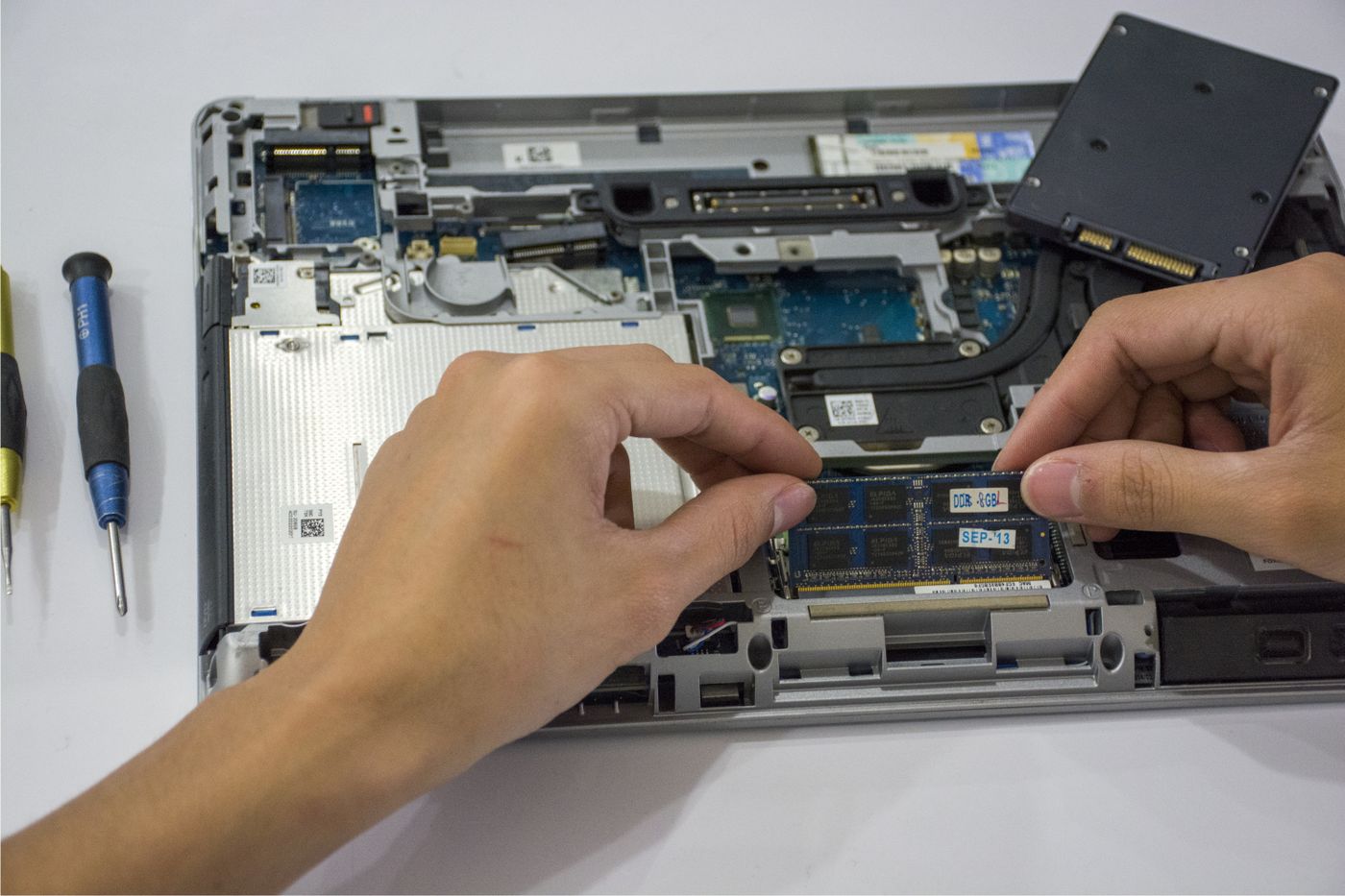
Clicking sounds, files that won’t open, or boots that get slower every week can mean a failing drive. Back up first, then check the drive’s health report — and replace an old spinning drive with an SSD for the single biggest speed upgrade available.
4. Update everything, then restart properly
Pending OS updates, ancient browser versions and years-old drivers all drag performance down. Install updates, then do a full restart — not just closing the lid.
5. Scan for malware
Cryptominers and adware love to hide as “system” processes eating half your CPU. Run a full scan with a reputable tool; if it finds a crowd, a professional cleanup is worth it.
6. Add memory if you multitask
Dozens of tabs plus video calls will suffocate 4–8 GB of RAM. A memory upgrade is quick, affordable, and often doubles how smooth heavy days feel — see our RAM repair service.
7. Know when to call the bench
If the machine still crawls after all six steps — or shows blue screens, strange noises or burning smells — stop and get a free diagnosis. Pushing a sick machine risks your data.
Still slow after the checklist?
Our tune-up service covers all seven steps plus a full health report — usually done in a day.
Book A Call